 Mike Beck

Running a small business today isn’t easy. You’re managing marketing, sales, customer support, and operations—often all at once. And competing with larger companies that have bigger teams and budgets can feel overwhelming.
That’s where AI tools are changing the game.
Artificial Intelligence is no longer just for big corporations. In 2026, small businesses can use AI to automate repetitive tasks, create content faster, improve customer experience, and make smarter decisions—without hiring a large team.
Whether you’re a solo entrepreneur, a startup founder, or running a growing business, the right AI tools can help you save time, reduce costs, and scale faster.
In this guide, we’ll walk you through the top 10 AI tools for small businesses that are practical, affordable, and easy to use—even if you’re not tech-savvy.
Why Small Businesses Must Use AI in 2026
AI is no longer a “nice-to-have” tool—it’s quickly becoming a necessity for small businesses that want to stay competitive.
In the past, only large companies could afford automation, data analysis, and advanced marketing tools. But today, AI has made all of this accessible—even for solo entrepreneurs and small teams.
1. Save Time by Automating Repetitive Tasks
Tasks like replying to emails, scheduling posts, handling customer queries, or generating reports can take hours every week. AI tools can automate these processes, freeing up your time to focus on growth and strategy.
2. Reduce Costs Without Hiring a Large Team
Instead of hiring multiple people for content writing, design, or customer support, AI tools can handle a significant portion of the workload at a fraction of the cost.
3. Improve Marketing and Sales Performance
AI can help you write better ads, create engaging social media content, personalize email campaigns, and analyze customer behavior—leading to better conversions and higher ROI.
If your focus is marketing, you can also explore our detailed guide on AI tools for marketing to dive deeper into practical use cases.
4. Make Smarter, Data-Driven Decisions
Many AI tools provide insights based on real-time data. This helps you understand what’s working, what’s not, and where to invest your time and money.
5. Compete with Bigger Businesses
This is the biggest advantage. AI levels the playing field. With the right tools, a small business can operate with the efficiency and speed of a much larger company.
The Bottom Line
If you’re not using AI in your business yet, you’re not just missing an opportunity—you’re falling behind competitors who are already leveraging it.
The good news? You don’t need to learn everything at once. Starting with just one or two AI tools can create a noticeable impact.
How to Choose the Right AI Tool (Before You Start)
With hundreds of AI tools available today, it’s easy to get distracted or end up using tools you don’t actually need. The key is not to try everything—but to choose the right tool for your specific business goal.
Here’s how to make a smart decision:
1. Start with a Clear Goal
Before selecting any tool, ask yourself:
- Do I want to create content faster?
- Automate customer support?
- Improve marketing performance?
- Manage operations better?
Choosing a tool without a clear purpose will only waste your time and money.
2. Prioritize Ease of Use
As a small business owner, you don’t have time to learn complex systems.
Look for:
- Simple interface
- No-code or low-code tools
- Quick setup
If a tool feels complicated in the first 10 minutes, it’s probably not the right fit.
3. Consider Your Budget (But Think ROI)
Many AI tools offer free plans, which are great to get started. But don’t just focus on cost—focus on value.
Ask:
- Will this tool save me time?
- Will it help me generate more revenue?
A ₹1,000/month tool that saves 10 hours is a smart investment.
4. Check Integrations with Your Existing Tools
Your AI tool should work smoothly with what you already use, such as:
- CRM systems
- Email platforms
- Website or eCommerce tools
Good integration = less manual work.
5. Think Long-Term (Scalability)
Choose tools that can grow with your business. Switching tools frequently can disrupt your workflow and data.
Simple Rule to Follow
Start with just 1–2 AI tools, test them for a week, and then expand based on results.
Trying too many tools at once is one of the biggest mistakes small business owners make.
Top 10 AI Tools for Small Businesses
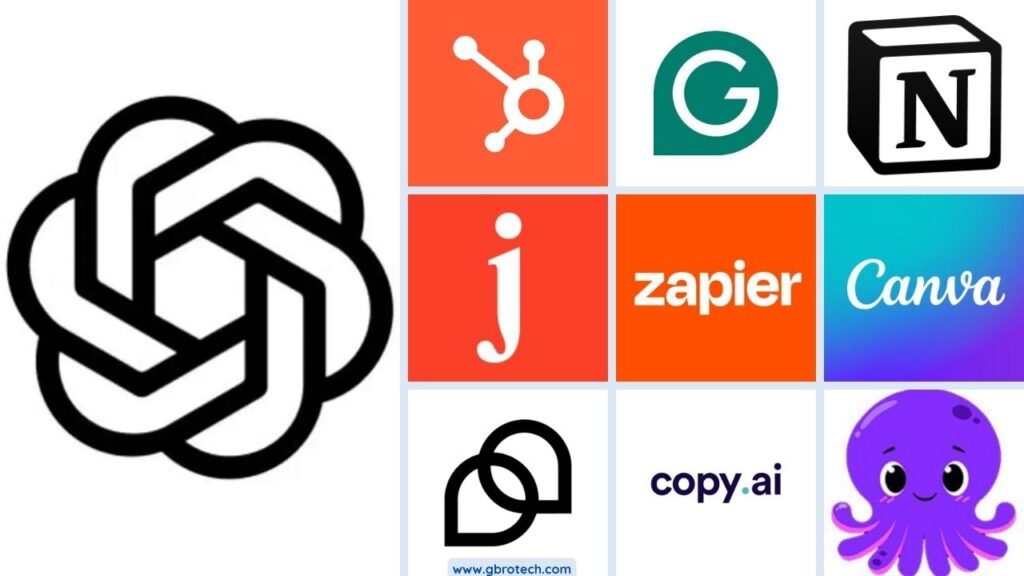
Choosing the right AI tools can make a huge difference in how efficiently your business operates. From content creation and design to automation and customer management, these tools are designed to save time, reduce costs, and help you scale faster. Below is a carefully selected list of the top AI tools that are practical, affordable, and easy to implement for small businesses.
1. ChatGPT – Your AI Business Assistant
If you’re starting with just one AI tool, this should be it.
ChatGPT is a powerful AI assistant that can help you with everything from writing content and emails to brainstorming ideas, creating marketing strategies, and even solving business problems.
Website: https://openai.com
What It Does
ChatGPT uses advanced AI to generate human-like text, making it useful for communication, content creation, and day-to-day business tasks.
Key Features
- Content writing (blogs, social media, ads)
- Email drafting and replies
- Idea generation and brainstorming
- Customer support responses
- Basic data analysis and summaries
Best Use Cases for Small Businesses
- Writing blog posts and website content
- Creating social media captions and ad copy
- Responding to customer queries
- Planning marketing campaigns
- Generating business ideas
Pricing
- Free plan available
- Paid plans for advanced features and faster responses
Pros
- Easy to use (no technical skills needed)
- Saves hours of manual work
- Versatile across multiple business functions
Cons
- Requires clear prompts for best results
- May need human review for accuracy
Quick Tip
Don’t just ask simple questions. Give clear instructions like:
👉 “Write a Facebook ad for a small mushroom business targeting health-conscious buyers.”
Better input = better output.
If you use ChatGPT properly, it can replace multiple tools in your business.
2. Copy.ai – AI Tool for Marketing Content
If your biggest struggle is writing marketing content consistently, Copy.ai can save you a lot of time.
It’s designed specifically for businesses that need high-quality copy for ads, social media, emails, and product descriptions—without hiring a full-time writer.
Website: https://www.copy.ai
What It Does
Copy.ai helps you generate marketing-focused content quickly using pre-built templates for different use cases.
Key Features
- Social media captions and posts
- Ad copy (Facebook, Google, LinkedIn)
- Product descriptions for eCommerce
- Email marketing content
- Blog ideas and outlines
Best Use Cases for Small Businesses
- Running paid ads without a copywriter
- Managing social media content regularly
- Writing product descriptions for online stores
- Creating email campaigns
Pricing
- Free plan available with limited usage
- Paid plans for higher content generation limits
Pros
- Built specifically for marketing content
- Easy-to-use templates (great for beginners)
- Speeds up content creation
Cons
- Limited flexibility compared to general AI tools
- May require editing for brand voice
Quick Tip
Instead of generating one output, create 3–5 variations and choose the best one. This improves quality and gives you options to test.
When Should You Choose Copy.ai Over ChatGPT?
- When you want ready-made templates
- When your focus is purely marketing content
- When you don’t want to spend time crafting prompts
3. Jasper AI – Advanced AI Content Writing Tool
If you’re planning to scale content—blogs, landing pages, or brand messaging—Jasper AI is built for that level.
Unlike basic AI tools, Jasper focuses on maintaining a consistent brand voice, which is critical as your business grows.
Website: https://www.jasper.ai
What It Does
Jasper helps create high-quality, long-form content while keeping your tone, style, and messaging consistent across all platforms.
Key Features
- Long-form blog writing
- Brand voice customization
- Pre-built templates for marketing
- SEO-focused content generation
- Team collaboration features
Best Use Cases for Small Businesses
- Writing SEO blog posts regularly
- Creating landing pages and website copy
- Maintaining a consistent brand voice
- Scaling content for marketing campaigns
Pricing
- No free plan (trial available)
- Paid plans starting at a higher range compared to other tools
Pros
- High-quality, structured content output
- Strong brand voice control
- Ideal for scaling content production
Cons
- More expensive than basic AI tools
- Slight learning curve for beginners
Quick Tip
Before using Jasper, define your brand voice clearly (formal, friendly, bold, etc.). This dramatically improves output quality.
When Should You Choose Jasper AI?
- When content is a core growth strategy
- When you want consistent branding across all content
- When you’re ready to invest in premium tools
👉 Straight truth: If you’re just starting, stick with ChatGPT or Copy.ai.
Jasper makes sense when you’re already creating content consistently and want to scale professionally.
4. Canva AI – Design Made Simple for Everyone
Design is no longer a barrier—even if you have zero experience.
Canva AI brings powerful design capabilities into a simple drag-and-drop interface, allowing small business owners to create professional graphics, presentations, and marketing materials in minutes.
Website: https://www.canva.com
What It Does
Canva combines design tools with AI features to help you create visuals quickly—without needing a designer.
Key Features
- AI image generation (text to image)
- Magic Design (auto-create templates)
- Background remover
- Social media post templates
- Presentation and video creation
Best Use Cases for Small Businesses
- Creating social media posts and ads
- Designing logos, flyers, and banners
- Making presentations for clients or pitches
- Building simple marketing creatives
Pricing
- Free plan with extensive features
- Pro plan for advanced AI tools and premium assets
Pros
- Extremely beginner-friendly
- Saves cost on hiring designers
- Huge library of templates and assets
Cons
- Limited customization for advanced designers
- Designs can look similar if overusing templates
Quick Tip
Don’t rely only on templates. Customize colors, fonts, and images to match your brand—this helps you stand out.
When Should You Use Canva AI?
- When you need quick, professional designs
- When you don’t have a design team
- When you want to maintain visual consistency
👉 Reality check: Bad design kills trust instantly.
Even a great product won’t sell if your visuals look unprofessional—Canva fixes that problem fast.
5. Grammarly – AI Writing Assistant for Professional Communication
You might have great ideas, but if your writing has errors or unclear messaging, it can hurt your credibility.
Grammarly helps ensure everything you write—emails, proposals, social posts, or website content—sounds clear, correct, and professional.
Website: https://www.grammarly.com
What It Does
Grammarly checks your writing in real time for grammar, spelling, tone, and clarity, and suggests improvements instantly.
Key Features
- Grammar and spelling correction
- Tone detection (formal, friendly, confident)
- Clarity and readability suggestions
- Plagiarism checker (premium)
- Works across email, browser, and documents
Best Use Cases for Small Businesses
- Writing professional emails and client communication
- Creating error-free website content
- Improving social media posts
- Drafting proposals and business documents
Pricing
- Free plan with basic corrections
- Premium plan for advanced suggestions and tone improvement
Pros
- Very easy to use (works automatically)
- Improves writing instantly
- Helps maintain a professional brand image
Cons
- Advanced features are behind a paywall
- Suggestions may sometimes feel generic
Quick Tip
Don’t just accept all suggestions blindly. Use Grammarly as a guide, but keep your natural tone and personality intact.
Why It Matters More Than You Think
Every message you send represents your business.
A simple email with mistakes can reduce trust, while clear and polished communication can win clients.
👉 Straight truth: This is not just a writing tool—it’s a credibility tool.
6. Zapier – Automate Your Business Without Coding
If you’re doing repetitive tasks manually, you’re wasting valuable time.
Zapier connects your apps and automates workflows, so things happen automatically in the background—without writing a single line of code.
Website: https://zapier.com
What It Does
Zapier links different tools (like Gmail, WhatsApp, Google Sheets, CRM, etc.) and creates automated workflows called “Zaps.”
Key Features
- Connects 5,000+ apps
- Workflow automation (triggers & actions)
- Multi-step automations
- No-code interface
- Scheduling and conditional logic
Best Use Cases for Small Businesses
- Automatically saving leads from forms to CRM
- Sending instant email or WhatsApp responses
- Posting content across platforms
- Creating tasks when a new order or inquiry comes in
- Syncing data between apps
Pricing
- Free plan with limited tasks
- Paid plans based on usage and complexity
Pros
- Saves hours of manual work
- No technical skills required
- Works with most popular business tools
Cons
- Can become costly as usage grows
- Setup may take time initially
Quick Tip
Start with a simple automation like:
👉 “When someone fills a form → Send auto email → Add to Google Sheet”
Small automations create big efficiency over time.
Why This Is a Game-Changer
Automation doesn’t just save time—it reduces errors and ensures consistency in your business processes.
👉 Reality check: If you’re repeating the same task daily, it should be automated.
7. HubSpot AI – All-in-One CRM & Marketing Automation
If you’re serious about growing your business, you need more than just tools—you need a system.
HubSpot combines CRM, marketing, sales, and customer service into one platform, with AI features that help you manage and convert leads more efficiently.
Website: https://www.hubspot.com
What It Does
HubSpot helps you track leads, manage customer interactions, automate marketing campaigns, and streamline your sales process—all in one place.
Key Features
- Free CRM for lead and contact management
- AI-powered email marketing and automation
- Sales pipeline tracking
- Chatbots and customer support tools
- Analytics and reporting dashboard
Best Use Cases for Small Businesses
- Managing leads and customer data
- Automating email marketing campaigns
- Tracking sales pipeline and conversions
- Improving customer relationships
- Centralizing business operations
Pricing
- Free CRM available
- Paid plans for advanced marketing, sales, and automation features
Pros
- All-in-one platform (no need for multiple tools)
- Scalable as your business grows
- Strong automation and analytics
Cons
- Can feel complex for beginners
- Paid plans can be expensive as you scale
Quick Tip
Start with the free CRM and focus only on:
- Contact management
- Basic email automation
Don’t try to use everything at once—it can get overwhelming.
Why It Matters
Many small businesses lose leads simply because they don’t track them properly.
HubSpot ensures that every lead is captured, nurtured, and followed up—automatically.
👉 Straight truth: Without a CRM, you’re not scaling—you’re guessing.
8. Tidio – AI Chatbot for Customer Support & Lead Generation
Visitors come to your website—but what happens next?
If no one responds instantly, most of them leave.
Tidio solves this by adding an AI-powered chatbot to your website that can engage visitors, answer questions, and capture leads—24/7.
Website: https://www.tidio.com
What It Does
Tidio combines live chat and AI chatbot functionality to automate customer interactions and support in real time.
Key Features
- AI chatbot (automated responses)
- Live chat with visitors
- Lead capture forms
- Pre-built chatbot templates
- Integration with websites and eCommerce platforms
Best Use Cases for Small Businesses
- Responding to customer queries instantly
- Capturing leads from website visitors
- Supporting eCommerce customers
- Reducing manual customer support workload
Pricing
- Free plan available
- Paid plans for advanced chatbot automation and higher usage
Pros
- Easy to install and set up
- Improves response time instantly
- Works 24/7 without human intervention
Cons
- Advanced automation requires paid plans
- Needs proper setup to feel natural (not robotic)
Quick Tip
Set up a simple chatbot flow like:
👉 “Hi! What are you looking for?” → Options (Product / Pricing / Support)
This alone can significantly improve engagement.
Why This Matters
Speed is everything.
If you reply in seconds, you increase your chances of converting a visitor into a customer. If you delay, you lose them.
👉 Reality check: Most small businesses lose leads not because of bad products—but because of slow response time.
9. Notion AI – Smart Workspace for Productivity & Organization
Running a business means handling ideas, tasks, documents, and workflows—all at once.
Notion AI brings everything into one place and adds AI to help you write, organize, and manage work more efficiently.
Website: https://www.notion.com
What It Does
Notion is an all-in-one workspace where you can manage notes, documents, tasks, and databases—with AI helping you generate and improve content.
Key Features
- Notes and document management
- Task and project tracking
- AI writing and summarization
- Custom workflows and databases
- Team collaboration
Best Use Cases for Small Businesses
- Organizing business plans and ideas
- Managing daily tasks and projects
- Creating SOPs (standard operating procedures)
- Team collaboration and documentation
- Maintaining a knowledge base
Pricing
- Free plan available
- Paid plans for AI features and team usage
Pros
- All-in-one workspace
- Highly customizable
- Great for both individuals and teams
Cons
- Can feel overwhelming at first
- Requires setup to get full value
Quick Tip
Start simple:
👉 Create just 3 sections — Tasks, Notes, and Ideas
Avoid over-complicating your setup in the beginning.
Why It Matters
As your business grows, things get messy—files scattered, ideas lost, tasks missed.
Notion helps you bring clarity and structure, which directly improves productivity.
👉 Straight truth: If your work is not organized, your growth will always feel chaotic.
10. Pictory – Turn Content into Engaging Videos
Video content is one of the fastest ways to grow your brand—but creating videos can feel time-consuming and technical.
Pictory removes that barrier.
It allows you to turn blog posts, scripts, or even simple text into professional-looking videos—without editing skills.
Website: https://pictory.ai
What It Does
Pictory uses AI to convert text content into videos by adding visuals, subtitles, voiceovers, and music automatically.
Key Features
- Convert blog posts into videos
- Auto-generate captions and subtitles
- AI voiceovers
- Stock video and image library
- Easy editing interface
Best Use Cases for Small Businesses
- Turning blogs into YouTube videos
- Creating Instagram Reels and Shorts
- Repurposing content for multiple platforms
- Explaining products or services visually
Pricing
- Free trial available
- Paid plans for full features and exports
Pros
- No video editing skills required
- Saves time on content creation
- Great for content repurposing
Cons
- Limited customization compared to advanced editors
- AI voiceovers may sound less natural
Quick Tip
Use your existing blog content:
👉 Turn one blog into 3–5 short videos for different platforms
This multiplies your content reach without extra effort.
Why This Matters
People consume video faster than text. If you’re not using video, you’re missing a huge opportunity to reach and engage your audience.
👉 Reality check: In today’s market, businesses that use video grow faster than those that don’t.
Comparison Table (Quick Decision Guide)
Choosing the right tool can feel overwhelming. Here’s a quick comparison to help you decide based on your needs:
| Tool | Best For | Pricing | Ease of Use | Key Feature |
|---|---|---|---|---|
| ChatGPT | Content, ideas, general tasks | Free + Paid | ⭐⭐⭐⭐⭐ | Versatile AI assistant |
| Copy.ai | Marketing content | Free + Paid | ⭐⭐⭐⭐⭐ | Ready-made templates |
| Jasper AI | Long-form & brand content | Paid | ⭐⭐⭐⭐ | Brand voice consistency |
| Canva AI | Design & creatives | Free + Paid | ⭐⭐⭐⭐⭐ | Drag-and-drop + AI design |
| Grammarly | Writing & communication | Free + Paid | ⭐⭐⭐⭐⭐ | Grammar & tone correction |
| Zapier | Automation workflows | Free + Paid | ⭐⭐⭐⭐ | App integrations (5000+) |
| HubSpot AI | CRM & marketing automation | Free + Paid | ⭐⭐⭐ | All-in-one business platform |
| Tidio | Chatbot & customer support | Free + Paid | ⭐⭐⭐⭐ | AI live chat |
| Notion AI | Productivity & organization | Free + Paid | ⭐⭐⭐⭐ | All-in-one workspace |
| Pictory | Video creation | Paid + Trial | ⭐⭐⭐⭐ | Blog-to-video conversion |
How to Use This Table
- If you want all-in-one help → Start with ChatGPT
- If your focus is marketing → Go with Copy.ai or Jasper
- If you want automation → Choose Zapier
- If you need design → Use Canva AI
- If your goal is organization → Pick Notion AI
Pro Tip
Don’t try to use all 10 tools.
Start with:
- 1 content tool (ChatGPT or Copy.ai)
- 1 design tool (Canva)
- 1 automation tool (Zapier)
That’s more than enough to begin.
👉 Straight truth: Tools don’t grow your business—how you use them does.
Free vs Paid AI Tools: What Should You Choose?
One of the most common questions small business owners ask is:
“Should I stick with free tools or invest in paid AI tools?”
The answer depends on your stage and goals.
When Free AI Tools Are Enough
Free plans are great when you’re just starting out or testing things.
Use free tools if you:
- Are exploring AI for the first time
- Have a limited budget
- Need basic features (content, design, simple automation)
- Want to test multiple tools before committing
👉 Example:
You can use ChatGPT (free) + Canva (free) to handle content and design effectively in the beginning.
When You Should Upgrade to Paid Tools
At some point, free tools will limit your growth.
Consider upgrading if:
- You need faster output and higher limits
- You want advanced features (automation, analytics, integrations)
- You’re using AI regularly in your business
- You want better quality and consistency
👉 Example:
Upgrading to Jasper AI or Zapier premium makes sense when content and automation become core to your business.
Think ROI, Not Cost
Don’t look at AI tools as an expense—look at them as an investment.
Ask yourself:
- Will this save me time?
- Will it help me generate more revenue?
- Will it reduce manual work?
If the answer is yes, the tool is worth it.
Simple Strategy to Follow
- Start with free tools
- Identify what’s working
- Upgrade only where needed
This way, you avoid wasting money while still growing efficiently.
👉 Reality check: Staying on free tools for too long can slow your growth.
But jumping into paid tools too early can waste money.
Balance is key.
Common Mistakes to Avoid When Using AI Tools
AI tools can be powerful—but only if used correctly. Many small business owners either misuse them or give up too quickly.
Here are the most common mistakes you should avoid:
1. Using Too Many Tools at Once
It’s tempting to try every new AI tool you come across.
But this leads to:
- Confusion
- Wasted time
- No real results
👉 Focus on 1–2 tools first, master them, then expand.
2. Not Defining a Clear Use Case
Using AI without a goal is like driving without a destination.
If you don’t know what you want (content, leads, automation), the tool won’t help much.
👉 Always start with a specific problem to solve.
3. Expecting Perfect Results Instantly
AI is powerful, but it’s not magic.
- First outputs may not be perfect
- You need to refine prompts
- Some editing is always required
👉 Treat AI as an assistant, not a replacement.
4. Ignoring Human Review
Publishing AI-generated content without checking it is risky.
- It may contain errors
- It may not match your brand voice
- It can reduce credibility
👉 Always review and refine before using.
5. Choosing Tools Without Integration
If your tools don’t work together, you’ll end up doing manual work anyway.
👉 Choose tools that integrate with your:
- CRM
- Website
6. Focusing Only on Tools, Not Strategy
Tools are just enablers.
Without a clear strategy:
- Content won’t convert
- Automation won’t help
- Growth will stall
👉 Strategy first, tools second.
Bottom Line
AI can accelerate your business—but only if you use it with clarity and discipline.
👉 Straight truth: Most people don’t fail because of bad tools—they fail because of poor usage.
How to Start Using AI in Your Business (Step-by-Step)
By now, you’ve seen what AI tools can do. But the real question is: Where should you start?
Don’t overcomplicate it. Follow this simple, practical approach:
Step 1: Choose Just 1–2 Tools
Avoid the biggest mistake—trying everything at once.
Start with:
- One content tool (like ChatGPT or Copy.ai)
- One support/design/automation tool (like Canva or Zapier)
👉 Keep it simple and focused.
Step 2: Define One Clear Use Case
Pick a small, specific goal such as:
- Writing 5 social media posts
- Automating lead capture
- Creating 1 blog post per week
Clarity = faster results.
Step 3: Test for 7 Days
Use the tool consistently for a week.
Track:
- Time saved
- Output quality
- Ease of use
👉 Don’t judge a tool after one attempt—give it a fair trial.
Step 4: Improve and Optimize
Once you see results:
- Refine your prompts
- Improve workflows
- Customize outputs
Small improvements lead to big gains over time.
Step 5: Scale Gradually
After success with one use case:
- Add another tool
- Expand usage (content → automation → marketing)
👉 Build step by step, not all at once.
Simple Starter Plan (Practical Example)
Week 1:
- Use ChatGPT → Create content
- Use Canva → Design posts
Week 2:
- Add Zapier → Automate basic tasks
Week 3:
- Add CRM (HubSpot) → Manage leads
Key Mindset
You don’t need to become an AI expert.
You just need to use AI to:
- Save time
- Work smarter
- Grow faster
👉 Reality check: The businesses that start small and stay consistent with AI will outperform those who keep “planning” but never start.
Future of AI for Small Businesses
AI is evolving fast—and small businesses that adapt early will have a major advantage in the coming years.
Here’s what the future looks like:
1. Automation Will Become the Default
In the near future, most repetitive tasks will be fully automated:
- Customer responses
- Lead follow-ups
- Email marketing
- Data entry
👉 Businesses will focus more on strategy, less on manual work.
2. AI Agents Will Handle Daily Operations
Instead of using multiple tools, AI agents will:
- Manage workflows
- Execute tasks automatically
- Make basic decisions
This means fewer tools—but more powerful systems.
3. Hyper-Personalized Marketing
AI will allow businesses to:
- Send personalized messages at scale
- Recommend products based on behavior
- Create targeted campaigns instantly
👉 Marketing will become more relevant—and more effective.
4. Voice & WhatsApp AI Will Dominate (Especially in India)
For markets like India, this is huge.
Businesses will increasingly use:
- Voice-based AI assistants
- WhatsApp automation for sales & support
👉 This aligns perfectly with real user behavior—fast, simple, mobile-first communication.
5. Faster Decision-Making with Real-Time Data
AI will provide instant insights like:
- What’s working in your marketing
- Where you’re losing customers
- What to optimize next
👉 No more guesswork—only data-driven decisions.
What This Means for You
You don’t need to adopt everything today.
But you do need to:
- Stay aware
- Start early
- Adapt gradually
👉 Straight truth: AI won’t replace small businesses—but small businesses that use AI will replace those that don’t.
Conclusion
AI is no longer a future concept—it’s a present-day advantage.
For small businesses, it offers something that was never possible before: the ability to operate smarter, faster, and more efficiently without needing a large team or budget.
From creating content and designing visuals to automating workflows and managing customers, the tools covered in this guide can transform how you run your business.
But here’s what really matters:
👉 You don’t need all 10 tools.
👉 You don’t need to be an expert.
👉 You just need to start.
Pick one tool. Use it consistently. See the results. Then build from there.
Your Next Step
Start today:
- Choose one AI tool from this list
- Apply it to a real task in your business
- Track the impact for the next 7 days
Small steps → real results.
Final Thought
The gap between businesses that grow and those that struggle is getting wider—and AI is one of the biggest reasons.
Make sure you’re on the right side of that gap.
Frequently Asked Questions (FAQs)
What are the best AI tools for small businesses?
The best AI tools for small businesses include ChatGPT (content & ideas), Canva AI (design), Zapier (automation), HubSpot (CRM), and Grammarly (writing). These tools help improve productivity, marketing, and customer management.
Are AI tools expensive for small businesses?
No, many AI tools offer free plans or affordable pricing. Small businesses can start with free versions and upgrade as their needs grow, making AI accessible even on a limited budget.
Can AI replace employees in small businesses?
AI can automate repetitive tasks, but it cannot fully replace human creativity, decision-making, and relationship-building. It works best as an assistant to improve efficiency, not as a complete replacement.
Which AI tool is best for marketing?
For marketing, tools like Copy.ai and Jasper AI are great for content creation, while Canva AI helps with design and visuals. ChatGPT can also be used for overall marketing strategy and content planning.
How can small businesses start using AI?
Start by choosing one tool, define a simple use case (like content creation or automation), test it for a week, and gradually expand usage based on results.
What are the benefits of using AI in business?
AI helps save time, reduce costs, improve productivity, automate tasks, and enhance customer experience, allowing small businesses to grow faster and compete effectively.
Are AI tools difficult to use?
Most modern AI tools are designed for beginners and require no technical skills. Tools like Canva, ChatGPT, and Copy.ai are especially easy to use with simple interfaces.
Is AI safe for small businesses?
Yes, AI tools are generally safe when used from trusted platforms. However, businesses should avoid sharing sensitive data and always review AI-generated outputs before using them.